

Garmin’s new Approach R50 has made serious noise in the golf tech world—but can it compete with the Foresight GC3 or the newer GC3s?
Each brings something different to the table: Different levels of club data, very different virtual course selection, compatibility limitations, and game improvement features.
It all depends on what you value—what improves one golfer’s experience could feel restrictive to someone else.
We tested all three launch monitors side-by-side to find out exactly how they differ in performance, software, ease of use, and feel—so you can confidently choose the one that matches your goals, not just your budget.
We’ve also written a full hands-on review of the Garmin R50 if you want a closer look at it on its own before comparing.
If you’re thinking of buying any of these, this review shows you exactly how they compare and which one is worth your money.
This isn’t about which one is “best.” It’s about which one is best for you.
Let’s get into it.
FYI: You can check our ‘best’ picks in the top launch monitors guide.
📢 Need Help Choosing A Launch Monitor?
Use our free tools to make it easy:
🔍 Compare side-by-side
🎯 Filter by features
🤔 Take the quiz
Whether you’re comparing models, checking for essential features, or feeling unsure about your next step, our tools will help you break things down and make a well-informed decision.

User Interface Comparison
The BIG selling point of the Garmin R50:
It doesn’t need a supported device like a PC or iPad to play virtual golf.
You can do EVERYTHING from the R50 in-built screen, including playing virtual courses.

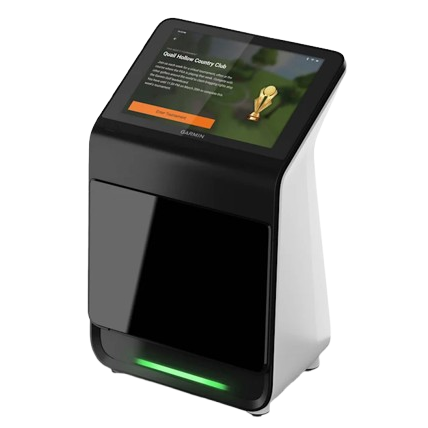
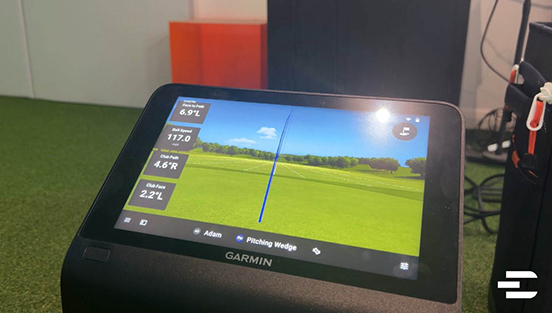
The 10-inch LCD colour touchscreen is a step above anything on the market right now:
- Navigation and the design is modern
- Everything is laid out in an intuitive way
- The screen can be easily read in dark or bright sunlight
- The touchscreen technology is as responsive as an iPad
You can customize the interface to show different features at once in a split screen like the impact video and virtual range on the screen.

Or you can connect to a HDMI and show different displays on the external screen to the R50 screen
Shot data also appears less than a second after you hit the ball
One issue that annoyed us:
The R50 doesn’t connect to a third-party device like a PC or iPad. At all.
You can’t control what’s on the R50 screen from an iPad or PC, which means you have to bend down to the unit to make adjustments. For older golfers, this will be a hindrance.

There is a Garmin app, but you can only review your stats on it. It doesn’t let you control the R50 screen.
What about third-party simulators like GSPro?
You can still play GSPro wirelessly with the R50, but right now, there is no integrated app that lets you control the R50 screen with an external device.
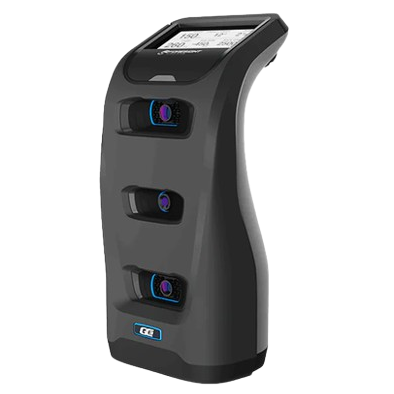
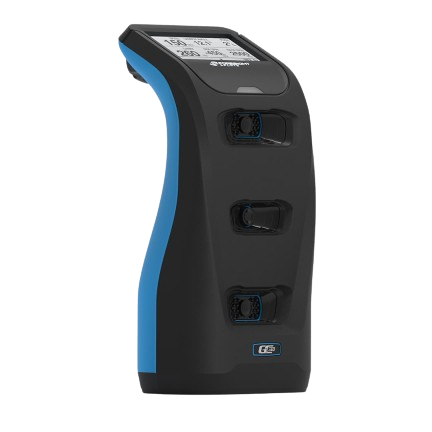
The GC3 / GC3s also have a built-in screen, but they are limited compared to the Garmin R50.
- It’s a monochrome LCD screen, so you don’t get a colour screen, more black and grey.
- It can only show a few data metrics on the screen at the same time.
- It’s only designed for data reading, so you can’t play virtual golf through this screen.
- It can be hard to read sometimes if you’re in bright sunlight.

The big advantage the GC3/GC3s has over R50 is the connected apps that let you play GC3 software from your PC or iPad.
We’ll get into the following apps later:
- FSX Play is the newer software for virtual courses and practice.
- FSX 2020 is the original full-featured software for simulation and data analysis,
- FSX Pro for challenges and practice.


The key user interface benefit over the Garmin R50:
You can change camera views and look at data from the apps, without bending down to adjust the unit.
The shot responsiveness is also under 1 second, so that’s matching R50.
An issue we have with GC3 is the user experience.
Going between the three apps can be a bit tiresome. They should streamline this and make it one app for simplicity.
Winner
The Garmin R50 has a more modern interface, but having to crouch down to adjust it is a downside. Even though the GC3’s interface isn’t as modern, I’d call this a tie because of its app compatibility.
Set-Up
First time set-up for both GC3/GC3s and the R50 won’t take you longer than 20 minutes each. It’s quicker on the R50 if you already have a Garmin account set up. We didn’t experience any difficulty with either process.
Alignment is done with the Dual Ball method on the R50s screen, which uses the positioning of two golf balls to help it align correctly.

The GC3 needs a physical alignment stick, which will be more precise than the dual ball approach but will take a little longer to get right.

Finding the hitting zone is really easy on both the R50 and GC3/GC3s because the built-in screens show you where the ball needs to be.
An area where the Approach R50 falls down is the hitting zone size.
For Ball Data Only, you get 11.25″ L x 8″ W hitting zone. That’s ok.
The problem is when you want to see the Club and Ball Data.
The hitting zone shrinks to 3.75″ L x 8″ W.
That isn’t much space to work, especially outside, where you are taking divots.

The GC3 hitting zone is 7” L x 10” W, so the length zone is almost double that of the Ball and Club Data zone of the R50.
They have the same indoor space requirements, as both are set up to the side of the golf ball, which means they both need around 10 feet minimum in room depth to work comfortably
The R50 makes it easier to see gameplay on a big screen as they have a HDMI cable. This connects directly to a TV or projector. GC3 / Gc3S doesn’t have a HDMI.
Winner
I am going to give the set-up win to the Garmin R50, because it is quicker and smoother.
Data Metrics
Let’s break down the data you get with each launch monitor.
Garmin R50 provides 20 data metrics, including advanced club data like face angle and face-to-path.

Foresight GC3 / GC3s offers 11 core data metrics.

Now here’s a quick side-by-side of what each unit offers—and what it doesn’t.
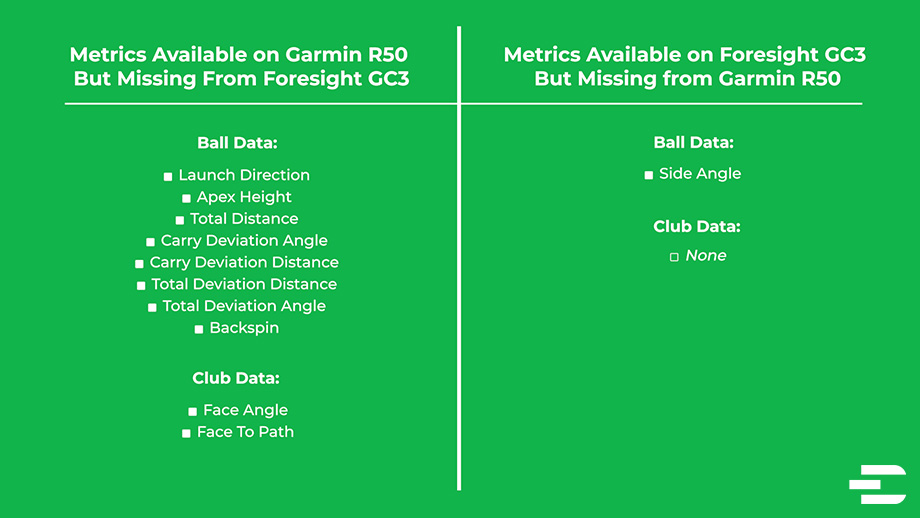
Available on R50 but not on GC3:
- Face angle
- Face-to-path
These two club data metrics are important. Together, they determine your ball’s starting direction and shot curvature. In plain terms, they help you understand why your ball is going left, right, or straight.
This level of insight is normally reserved for top-end launch monitors like Trackman — a system that costs upwards of $18,000. Getting these included in the much more affordable R50 is a big plus.
Available on GC3 but not on R50:
- Descent angle
Descent angle is useful for understanding how the ball is landing, especially important for gapping and approach shots.
But when it comes to diagnosing swing issues, face angle and face-to-path carry more weight.
Winner
Both launch monitors offer valuable insights, but we’re giving the win to the Garmin R50 on data metrics, simply because it gives you deeper feedback to fix your swing and more data overall.
Virtual Golf Course Comparison
The Garmin R50 comes with Home Tee Hero, which gives you access to over 43,000 courses from Garmin’s GPS database. That’s pretty much every course in the world, including your local one.
We tested it, and even the smallest local courses showed up.
That means you can actually practice on your home course anytime you want.

For most of us, there is no other launch monitor that will let you play at your local course. It can help you visualize and plan shots for specific holes, giving you an advantage, and it will help decision-making during real rounds.
One drawback:
The Home Tee Hero graphics are not as immersive as GSPro or GC3 / GC3s FSX Play software.
The course scenery is simplified and is missing some finer details like realistic textures. Still, it’s very engaging to play and has improved a lot from previous versions.

What about a more realistic simulation?
The Approach R50 also supports GS Pro, E6, and Awesome Golf — you’ll just need a gaming PC or iPad, and you can connect wirelessly.

Meanwhile, the GC3 and GC3s use FSX Play or FSX 2020 for course simulation.
You get 25 courses included — but only with the GC3, not the GC3s.

The GC3s launch monitor will give you the first year free and then requires a $500 annual subscription to access the same 25 courses.
The virtual courses included are lesser-known or fictional.
You’ve got to pay additional one-off fees between $150 and $500 to unlock famous real courses like St Andrews or Pebble Beach.

Yes, the graphics and ball physics on FSX Play are better than Home Tee Hero. That makes sense as these courses are being run from a gaming computer with a graphics processing unit (GPU).
The R50 cannot fit a GPU into its current ‘all-in-one’ design so its graphic quality can’t match GC3.

Many golfers we know ignore the virtual courses on FSX Play / FSX 2020 completely. Their sole virtual course gameplay is on GSPRO.
It integrates well with the Foresight GC3 / GC3s.
Right now, it’s the most popular integration for virtual golf because of GC3 accuracy and GSPro gameplay.

Winner
For this comparison, I am giving the win to R50 because of the course selection compared to GC3/GC3s, and you can also play local courses. Foresight needs to start including more real-world courses to compete.
Game improvement and Fun features
R50 Features
Let’s begin with what the R50 does well.
Its standout feature is the visual feedback.
You get a ball impact graphic overlay screen that clearly shows how the club and ball connected, displayed from both a top-down and side view.
When paired with important swing data like face angle and face-to-path, it gives you a complete understanding of your swing.

There’s also the impact video feature, which captures your strike at the exact moment of contact from a side-on angle.
It helped us spot mistakes we couldn’t feel or see in real time. You can clearly see mishits, open or closed face angles, and poor contact.
When you pair it with the ball impact graphics and swing data, it then becomes a really useful tool for understanding your swing mechanics.

You’ve got a standard virtual range and target ranges so you can aim at specific targets and work on distance control, shot placement, and alignment.
But it’s lacking any other game improvement tools.
I thought Skills challenges or some club-fitting tools would be included at this price point. But as it’s a new device, there is a good chance these will be added down the line.
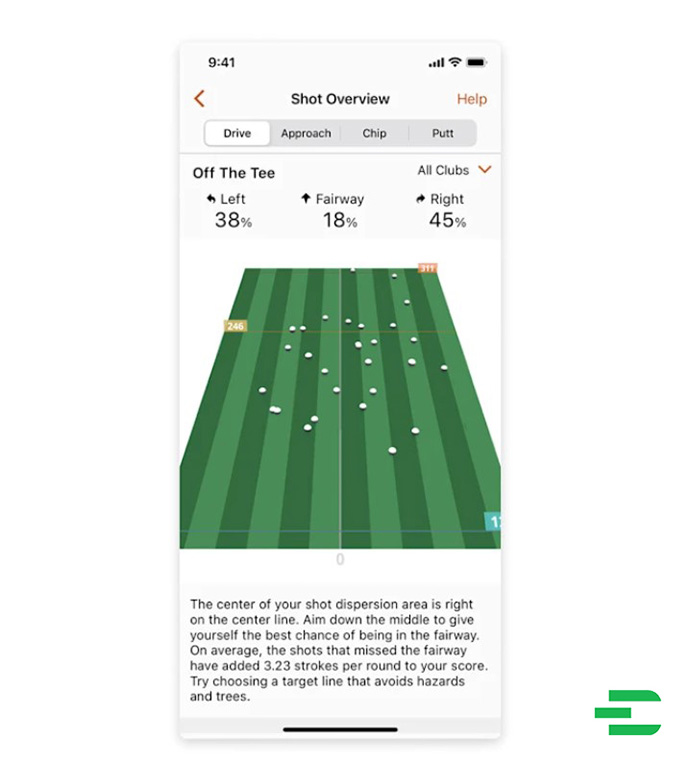
Your data from sessions can be reviewed on the Garmin app, but it’s not very detailed.
You have little data visualization, no dispersion circles, or club comparison tools.
GC3 / GC3s Features
For GC3 and GC3s users within the FSX Play software, you’ll get built-in target challenges like closest to the pin.

There are also fun drills like the “Inside 6 Feet” challenge on FSX 2020, where you try to land 10 shots within 6 feet of the pin to level up. This helps sharpen your accuracy.

FSX Play and FSX 2020 will also integrate with swing cameras, allowing you to watch your swing from multiple angles in slow motion to spot and correct issues more easily.

You can dive into deeper, data-based training in FSX Pro, which is built purely for shot analysis exercises like club gapping — ideal for fine-tuning your distances.

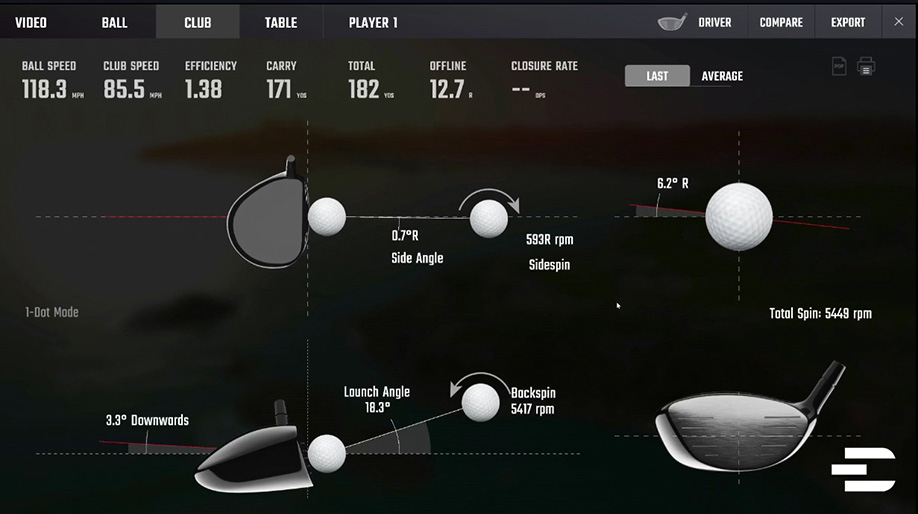
All of the GC3 software includes detailed dispersion maps, side-by-side shot comparisons, and 3D ball flight renderings, with advanced filters for club, date, and session.
It’s offering much more detailed feedback than the R50.
Like the R50, the GC3 also offers a ball impact graphic you can assess, but it misses important metrics like face angle and face-to-path.
Foresight has also added something called LINK-enabled technology.
It connects your GC3 or GC3s to a Bushnell rangefinder, which uses your shot data to make club recommendations and show your shot dispersion patterns.

The rangefinder is included out of the box for both the GC3 and GC3s.
Winner
Right now, there’s just more to work with here for improving your game, so GC3/GC3s takes the win in this game improvement and fun feature category.
Price and Subscriptions
GC3 vs Garmin R50 Pricing
The Foresight GC3 and GC3s main difference is in their pricing models, so we will split their comparisons against the Garmin R50 into two parts.
First, GC3 will cost you $6,999 for ball and club data with no subscriptions vs $5,000 for the Garmin R50
So what do you get with the GC3?
You’re getting access to all their features without subscriptions:
- All 25 virtual courses on FSX play
- The full ball and club data metrics are all available.
- Game improvement features and fun features like closest to the pin on FSX Play
- FSX 2020 features, like inside 6 feet and virtual range
- Virtual driving range on FSX Pro
- The Bushnell rangefinder is also included
For the Approach R50, you get:
- The virtual range
- All data metrics
- Visual feedback tools like the ball impact graphic screen and impact video
The R50 does have subscriptions, but they are low considering some competitors like the GC3,s which we will come to shortly
$99 per year or $10 a month gets you:
- Access to R50’s virtual courses on Home Tee Hero virtual simulator with 43,000 courses and weekly tournaments.
That’s the only feature upgrade right now with the R50 subscription.
Winner
There is a lot more coming your way in terms of software and features, so i am giving the win here on pricing to GC3.
GC3s vs Garmin R50 Pricing
The GC3s is priced differently at $3,799, which is a lot cheaper than the regular GC3 at $6,999.

But there’s a catch — the GC3s requires a $500 per year subscription to unlock most of its features.
Without that ongoing subscription, you’re only getting your data like ball speed, carry distance, backspin, and launch angle on the built in screen.
That means no virtual golf, and no connection to your PC or iPad.
The good news? That first year of the subscription is included for free.
So for $3,800, you get one year’s access to those features we listed earlier for the GC3.
After that first year, you’ll need to pay $500 annually to keep full access.
But even when you factor that in, it would take a few years before the GC3s matches the price of the r50 — and you’re getting a lot more for your money right now.

Winner
So for pricing and value, the GC3s is also our winner.
Accuracy Comparison
You can’t test the R50 and GC3/GC3s side by side — their tracking systems interfere with each other during shots, which has been shown in multiple videos.
So instead, we focused on testing the R50 on its own, using a pro golfer to see how consistent the readings were.

Foresight (makers of the GC3) is widely regarded as the gold standard for accuracy, so we used the GC3 as the reference point for judgment rather than a direct comparison.
Outdoors, we assessed how well the R50 picked up shot shape, and it performed surprisingly well:
- Slices and hooks were clearly picked up
- The virtual ball flight on the R50 matched the actual ball flight
- Our tester didn’t have a single shot where he doubted what the R50 showed
Carry distances were also consistent across the board:
- Driver, irons, and wedges all showed realistic yardages
- Spin rates were within expected ranges, even for high-speed driver swings and high-spin wedge shots
- No strange outliers or unreliable readings came up during the test

Where it struggled was putting inside Home Tee Hero:
- We used Pix golf balls, and the green speed felt inconsistent
- Some putts came off way too fast, others too slow
- Putts just off the green were especially odd, with unrealistic power reductions
Winner
So while the R50 did a solid job overall and the metrics were mostly reliable, it’s still early tech.
It can’t match the GC3 right now — and since GC3/GC3s is the benchmark for accuracy, it wins this round.
our Video Review
Indoor play
The R50 has lots of strengths indoors, but it’s lacking some game improvement features.
The GC3 and GC3s give plenty of different options to improve your game within FSX Play, 2020, and FSX Pro.

And the GC3 paired with GSPro is the top virtual course gameplay on the market right now.
The Garmin r50 has those 43,000 courses, and no other monitor can offer virtual courses on a built-in screen.
If you want to play GSPro, you will need to buy a gaming pc since the R50 won’t run anything other than Garmin software natively.
And it’s unlikely that GSPRO will ever be added natively to the R50 as it would need a Graphics processing unit, or GP,U that you find in gaming PCs.
You can also control the GC3 / GC3s from an app on PC or iPad, unlike the r50.
Winner
Lots of reasons why we are giving the win on indoor play to GC3 /GC3S.
Outdoor Play
Outdoors, the R50 is a far bigger and less portable launch monitor than the GC3 / GC3s… but we actually prefer it..
- You have a carry case included if you are bringing it outdoors.
- It reads shots accurately from the grass and mats,
- You can read all your metrics from the r50 colour screen on one page,
- The screen is far easier to read in direct sunlight or when it’s dark than the GC3

For the GC3/GC3s built-in screen, you need to scroll manually on the unit to see ball and club data.
You can use the Foresight app, but it can be inconsistent at connecting, particularly when out on course with a bad signal.
A weakness of the R50 would be the smaller hitting area for club and ball data.
And the R50 battery life is 4 hours versus GC3 / GC3s 5 to 7 hours, but it’s better at the range for us.
It can work well on the course too if you have space to carry it in your golf buggy.
Winner
Our winner for outdoor play goes to the Garmin R50.
Find Words: Garmin R50 or GC3/GC3s?
These launch monitors offer very different experiences.

The Garmin R50 is a fully self-contained system with a touchscreen, all-in-one design, and unmatched course selection.
The Foresight GC3 delivers pro-level accuracy and features at a premium price but with no ongoing costs.
And the GC3s brings you into the Foresight ecosystem at a lower upfront price, though it relies on subscriptions to unlock its full potential.
So, which one should you choose?
Choose the Garmin R50 if you value:
- A modern, all-in-one system with touchscreen control
- Playing virtual golf on 43,000+ real courses (including your home course)
- Face angle and face-to-path club data—rare at this price
- Fast, wireless GSPro integration
- Visual swing feedback with impact video and club-face graphics
- Effortless HDMI setup for big-screen play
- Easy outdoor readability and quick setup
Choose the Foresight GC3 if you value:
- Top-tier tracking accuracy trusted by professionals
- No mandatory subscriptions—everything unlocked out of the box
- Access to FSX Play, FSX 2020, and FSX Pro for full game improvement tools
- Club fitting, dispersion charts, and deep shot analysis
- Integration with GSPro and a Bushnell rangefinder
- Long battery life and rugged build quality
Choose the Foresight GC3s if you value:
- Better long-term value if you’re okay with an annual subscription
- Access to the same high-end Foresight features at a lower starting price
- One year of full software and course access included
- A stepping stone into the GC3 experience without the $7,000 upfront cost
- Compatibility with FSX and GSPro, just like the GC3
- Bushnell rangefinder also included like the GC3
